
CriticalVue Bridge
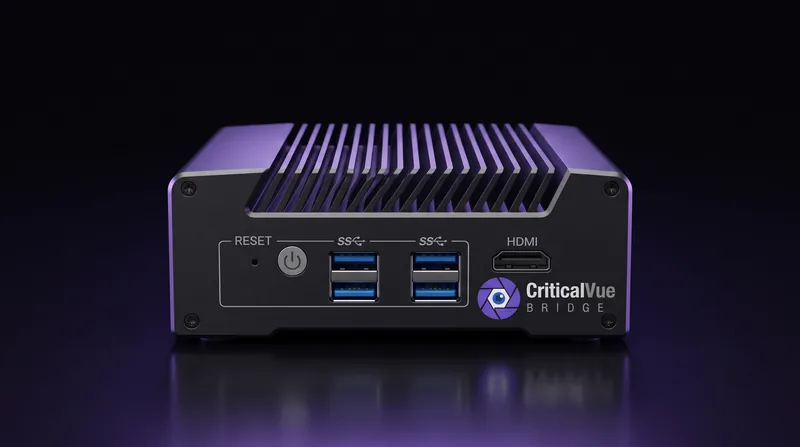
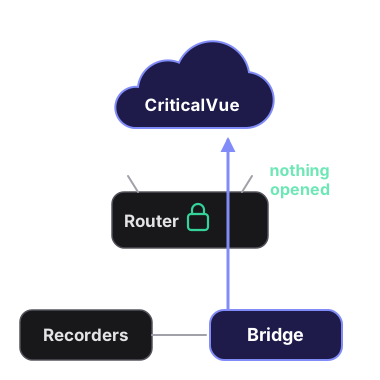
A small box at the site that watches your recorders from inside the network. No port forwarding, no public IP, no VPN: it only ever connects out.
Port forwards are the weak spot
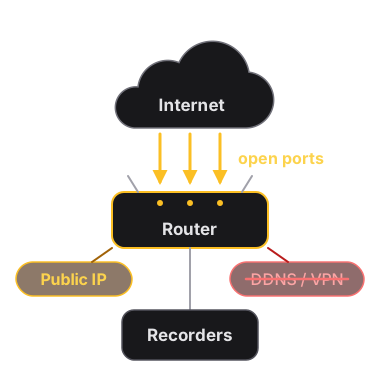
Monitoring a recorder from the cloud has meant opening the customer's network to the internet, and each opening breaks quietly: a new router, a changed public IP or a new internet provider, and the site goes red.
Many IT departments won't open those ports at all, and some sites end up needing a VPN tunnel just to be monitored.
A Bridge watches from inside and connects out
Plug the Bridge in on the recorders' network and add it to your account with the code on its label. It looks for the recorders on its network (Dahua, Hikvision, Uniview, TVT and Avigilon) and lists what it finds, so adding one means picking it and entering its login. An Axxon server, or anything the search misses, is added by its address on the site's network.

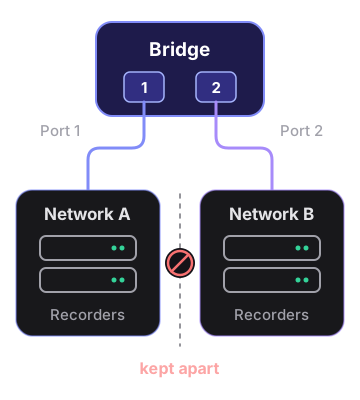
Two networks, kept apart
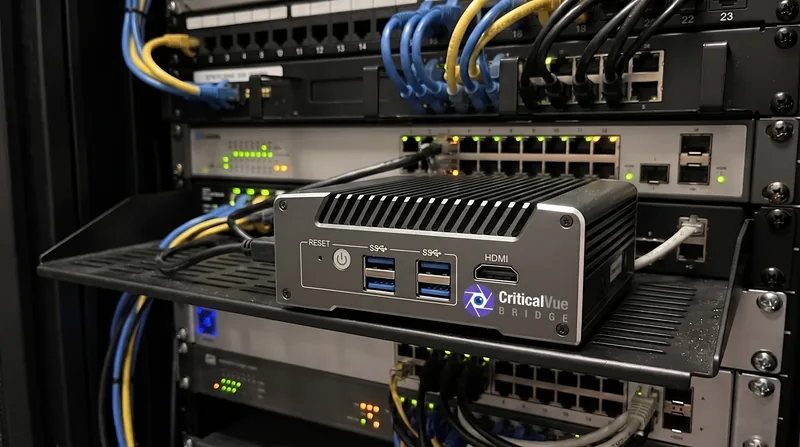
A Bridge with two network ports can watch recorders on two separate networks at once, one cable each, without joining them.
Keeps working offline

Key Benefits
Nothing Inbound
No port forwards, no public IP, no VPN. The Bridge only connects out: to CriticalVue over HTTPS, plus DNS and its own updates.
Finds Your Recorders
It searches its own network the way the recorder makers' tools do and lists what it found, ready to add.
Sealed Passwords
Recorder passwords reach the Bridge sealed, so only that Bridge can open them. It never sends video streams or recordings.
Two Networks, Kept Apart
A Bridge with two ports can watch recorders on two separate networks at once without joining them.
Keeps Itself Up to Date
Signed software updates install by themselves, and an update that doesn't work is undone automatically.
A One-Page Sheet for IT
Exactly what the Bridge connects to and why, on one printable page for the site's IT team.
Monitor sites without opening their networks
The Bridge is bought once, in the CriticalVue store, by your organization's billing manager. It ships unclaimed, with its claim code on the label. Monitoring stays on your plan, and sites without a Bridge keep connecting directly.